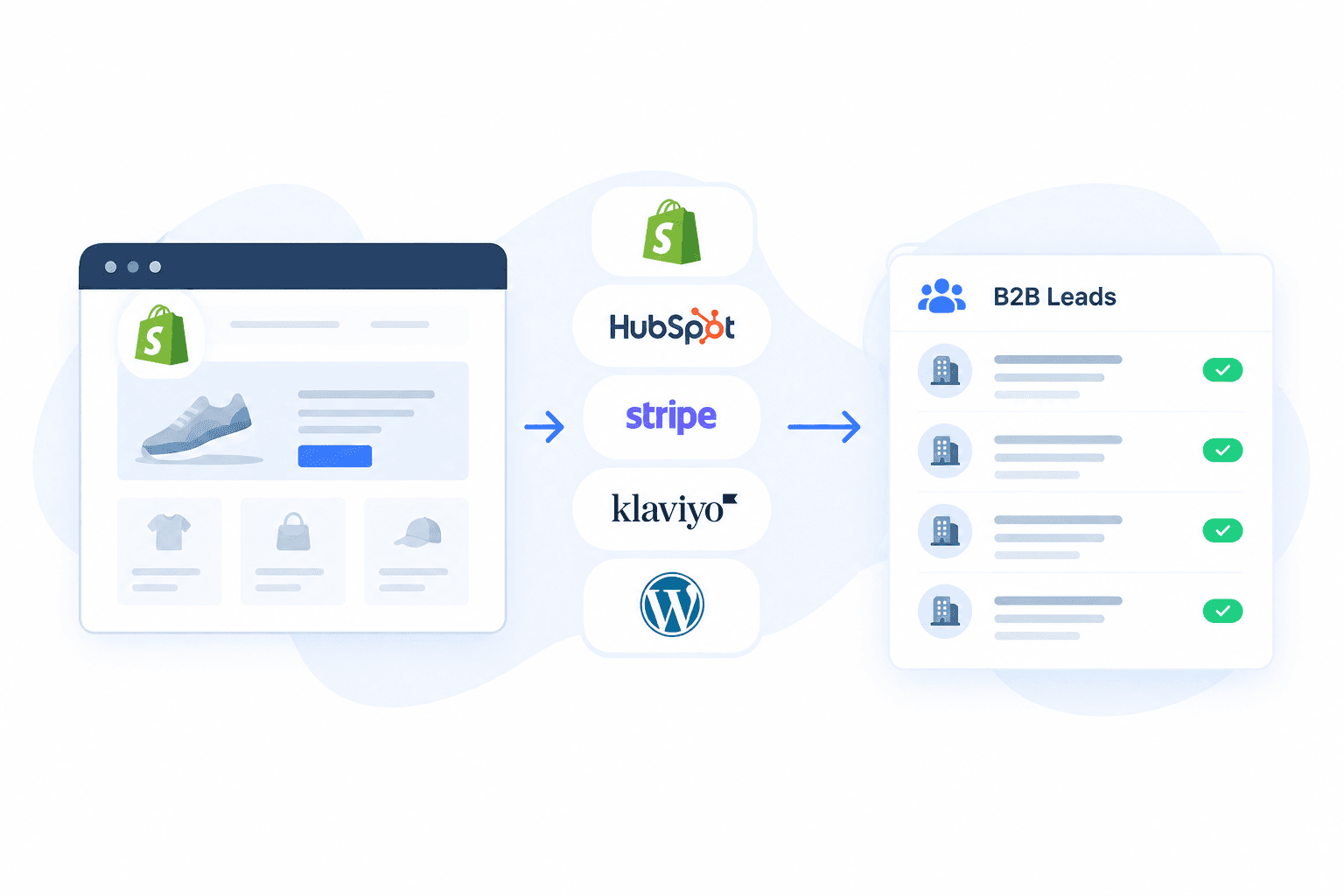
What if you could build a prospect list based on the software your ideal customers already use?
Instead of reaching out to thousands of random businesses, you could target Shopify stores using Klaviyo, companies running HubSpot, ecommerce websites using a particular payment provider, or businesses using a marketing platform that complements your product.
This is the idea behind technology-based lead generation.
Every website reveals clues about the tools a business uses. These technologies, often called its technology stack or technographics, can help sales teams, agencies, SaaS companies, and service providers identify relevant prospects.
In this guide, you'll learn how to generate B2B leads by technology stack, which technologies to target, how to build a prospect list, and how to turn technology data into a practical outbound workflow.
What is technology-based lead generation?
Technology-based lead generation is the process of finding potential customers based on the software, platforms, and technologies they use.
A business website might use Shopify for ecommerce, HubSpot for marketing automation, Stripe for payments, or WordPress for its content management system. These technology choices can reveal useful information about the business's operations and potential needs.
For example:
- A marketing agency might target Shopify stores using Klaviyo.
- A SaaS company might look for businesses using a competing product.
- A payment solution provider might identify ecommerce stores using a different payment platform.
- A web development agency might find businesses running outdated CMS software.
- A sales team might search for companies using a particular CRM or marketing automation tool.
Rather than treating every business as a potential customer, you can narrow your search to companies that match your ideal customer profile.
The key idea: use technology data to identify relevant accounts, then qualify those accounts based on company size, industry, location, business needs, and other buying signals.
Why generate leads by technology stack?
Traditional lead generation often starts with company directories, job titles, industries, or broad contact databases. These methods can be useful, but they don't always reveal which tools a company actually uses.
Technographic prospecting adds another layer of information.
1. Find businesses that fit your ideal customer profile
Suppose you sell an integration for Shopify stores. A general list of ecommerce companies may contain businesses using many different platforms.
Filtering for Shopify stores helps you focus on companies that are more relevant to your product.
2. Identify potential customers of complementary products
If your service integrates with HubSpot, finding companies that already use HubSpot can help you build a more relevant prospect list.
The same approach applies to marketing automation tools, analytics platforms, ecommerce applications, and other software categories.
3. Discover opportunities to replace competing tools
If your product competes with an established platform, you can investigate businesses that use that platform and may be suitable prospects.
Technology usage alone doesn't mean a company wants to switch. It simply provides a way to identify accounts worth researching.
4. Personalize outreach
Knowing a prospect's technology stack gives your sales team a more specific starting point.
Instead of sending a generic pitch, you can explain how your solution could fit into the tools the business already uses.
5. Build focused prospect lists
You can create separate lists for different campaigns, such as Shopify stores using a particular app, HubSpot users in a target market, or WordPress websites running a specific plugin.
This makes it easier to test messaging and measure which segments generate the best results.
Step 1: Define your ideal customer profile
Before searching for technologies, decide which businesses you want to reach.
Your ideal customer profile (ICP) describes the types of companies most likely to benefit from your product or service.
Start by answering these questions:
- Industry: Which industries are most relevant?
- Business model: Are you targeting ecommerce stores, SaaS companies, agencies, or traditional businesses?
- Company size: Do you want small businesses, growing companies, or enterprise accounts?
- Location: Which countries or regions can you serve?
- Technology requirements: Which tools must a prospect use for your offer to be relevant?
- Buying trigger: Why might a company using this technology need your product?
For example, an agency offering Klaviyo implementation services might define its ICP as ecommerce businesses using Shopify and Klaviyo that are large enough to benefit from professional email marketing support.
A SaaS company selling a HubSpot integration might focus on businesses already using HubSpot but needing a particular workflow or capability.
The more clearly you define your ICP, the easier it becomes to choose the right technology filters.
Step 2: Choose the technologies that signal a good prospect
Not every technology is equally useful for lead generation. The best technology to target depends on what you're selling.
Here are five useful categories to consider.
Ecommerce platforms
Examples include Shopify, WooCommerce, and Magento.
These technologies are useful for agencies, ecommerce service providers, payment companies, fulfillment providers, and SaaS businesses serving online retailers.
Example: Find Shopify stores that could benefit from your ecommerce optimization or marketing services.
CRM and sales platforms
Examples include HubSpot and Salesforce.
These technologies can help businesses selling sales automation, CRM integrations, analytics, data enrichment, and productivity solutions identify relevant accounts.
Example: Find companies using HubSpot that may benefit from a complementary sales tool.
Marketing automation and email platforms
Examples include Klaviyo, Mailchimp, and ActiveCampaign.
These tools can be especially useful for agencies, marketing consultants, email deliverability providers, and ecommerce applications.
Example: Find Shopify stores using Klaviyo to build a list of potential prospects for a specialized email marketing service.
Payment technologies
Examples include Stripe, PayPal, and Adyen.
Payment technology can help identify businesses operating online payment flows, depending on the coverage of the detection data.
Example: Find ecommerce websites using a particular payment provider and offer a relevant integration or payment optimization service.
Content management systems and website platforms
Examples include WordPress, Webflow, and Drupal.
These platforms can be useful for web development agencies, migration services, hosting providers, and businesses selling website-related products.
Example: Find WordPress websites that could be suitable prospects for a redesign, performance optimization, or maintenance service.
Tip: Start with one technology that has a clear connection to your offer. A smaller, relevant prospect list is often more useful than a huge list with no specific qualification criteria.
Step 3: Find websites using your target technology
Once you've chosen your target technology, the next step is to discover websites using it.
You can do this manually for a small number of prospects, or use a website technology discovery tool when you need to research many businesses.
Method 1: Check websites individually
If you already have a list of potential companies, you can inspect their websites using a technology checker such as the free TechPeeker Tech Analyzer.
This approach is useful when:
- You only need to research a few companies.
- You want to verify a technology before contacting a prospect.
- You're investigating a high-value account.
The downside is that checking websites one at a time becomes time-consuming when you need hundreds or thousands of prospects.
Method 2: Search for websites by technology
A technology discovery platform can help you identify websites associated with a particular technology.
With TechPeeker, start from its technology discovery resources and relevant tools to investigate websites and identify technologies they use.
For example, you might want to discover:
- Shopify stores for an ecommerce-focused campaign.
- Websites using HubSpot for a CRM-related campaign.
- Websites using a particular marketing or analytics tool.
- Websites running a CMS relevant to your services.
Start here:
Note: Use the relevant TechPeeker pages and available filters to check which discovery and export options are supported for your target technology.
Method 3: Discover ecommerce stores using specific apps
Sometimes, identifying a platform isn't enough. You want to know which stores use a particular application.
For example, a marketing agency may want Shopify stores using Klaviyo, while an app developer may want to identify stores using a competing subscription or reviews app.
In this case, look for both the ecommerce platform and the specific app you want to target.
TechPeeker's Shopify-focused resources can help you explore this use case:
The result is a more targeted prospecting strategy than simply collecting every Shopify store you can find. For a deeper walkthrough, see how to find Shopify stores using a specific app.
Step 4: Build and refine your prospect list
Finding websites using a particular technology is only the beginning. You still need to decide which businesses are worth contacting.
A useful prospect list should contain enough information to help your team prioritize accounts and personalize outreach.
Depending on the available data, useful fields may include:
| Field | Why it matters |
|---|---|
| Website domain | Identifies the target business |
| Company name | Makes account research easier |
| Detected technology | Confirms the reason for targeting |
| Technology category | Helps organize prospect segments |
| Country or location | Supports geographic targeting |
| Industry | Helps qualify business relevance |
| Company size | Helps prioritize suitable accounts |
| Contact information | Supports appropriate outreach |
| Source and verification date | Helps track data quality and freshness |
Not every source provides every field. Keep missing information separate from verified information instead of assuming it exists.
Segment your prospects
Rather than keeping everyone in one giant list, create separate segments based on the technology and use case.
For example:
- Shopify stores using Klaviyo.
- Shopify stores using a selected subscription app.
- Businesses using HubSpot.
- WordPress websites in a target industry.
- Ecommerce businesses using a particular payment provider.
You can then tailor your messaging to each group and compare the results.
Remove duplicates and irrelevant businesses
Before outreach, clean your list.
- Standardize website domains.
- Remove duplicate records.
- Exclude businesses outside your target market.
- Verify important technology matches.
- Check whether contact information is current and appropriate to use.
This process helps reduce wasted outreach and makes campaign results easier to interpret.
Step 5: Export your leads and enrich existing lists
After identifying suitable prospects, you need to move the data into your sales workflow.
Depending on the platform and plan, you may be able to export prospect records or retrieve technology data through an API. Check the available TechPeeker plans for your account and intended use case.
Export prospects for outbound campaigns
If your workflow supports exporting results, organize the records into a spreadsheet or compatible sales tool.
Useful columns include the domain, detected technology, prospect segment, qualification status, and research notes.
Avoid exporting more information than your team needs.
Enrich a list you already have
Technology data can also make an existing company list more useful.
Suppose you have 500 company domains collected from legitimate business sources. You could investigate which companies use Shopify, HubSpot, WordPress, or another relevant technology.
Your process might look like this:
- Start with your existing company-domain list.
- Check the domains against an appropriate technology data source.
- Add verified technology information to the matching records.
- Segment companies based on your ICP.
- Prioritize the accounts most relevant to your offer.
This approach can help you extract more value from existing account research without starting every campaign from scratch.
For larger or recurring workflows, explore TechPeeker API access and the API documentation.
Step 6: Turn technology data into a relevant outreach campaign
A list of technology users is not automatically a list of qualified buyers.
Your next task is to connect each technology signal to a business problem your product solves.
Consider these examples.
Example 1: An agency targeting Shopify stores using Klaviyo
- Target: Shopify stores using Klaviyo.
- Offer: Email marketing optimization and campaign management.
- Qualification: Check whether each store fits your target market and appears to have a suitable level of marketing activity.
- Outreach angle: Explain how your service could improve an existing email marketing program.
The technology tells you which businesses may be relevant. Further research helps determine whether they are good prospects.
Example 2: A SaaS company targeting HubSpot users
- Target: Companies using HubSpot.
- Offer: A complementary integration or workflow automation product.
- Qualification: Check whether the company has the business model, team, and use case your product supports.
- Outreach angle: Show how your integration could address a specific workflow problem without requiring the company to abandon its existing CRM.
Example 3: A payment solution targeting ecommerce businesses
- Target: Online stores using a selected payment provider.
- Offer: A complementary payments solution or migration service.
- Qualification: Research the business's market, supported countries, checkout requirements, and compatibility needs.
- Outreach angle: Focus on a concrete benefit such as improving payment operations or supporting a required capability. Avoid assuming the existing provider is a problem simply because the business uses it.
Example 4: A web agency targeting WordPress websites
- Target: WordPress websites in a selected industry.
- Offer: Website redesign, performance optimization, or maintenance.
- Qualification: Check website quality, business size, visible performance issues, and whether the company is a realistic fit.
- Outreach angle: Reference a specific, verified improvement opportunity rather than sending a generic website redesign pitch.
In each case, technology data helps you find the right accounts. Research, qualification, and relevant messaging determine whether those accounts are worth pursuing.
Step 7: Measure results and improve your targeting
Once your campaign is running, measure the quality of the leads rather than focusing only on the size of the list.
Track metrics such as:
- Match rate: What percentage of your target accounts actually use the technology?
- Qualification rate: How many discovered accounts fit your ICP?
- Contact coverage: How many accounts have usable, appropriately sourced contact information?
- Positive reply rate: How many prospects respond with genuine interest?
- Meeting rate: How many prospects agree to a meeting?
- Conversion rate: How many leads eventually become customers?
- Cost per qualified lead: How much does it cost to acquire a lead that meets your criteria?
Test different technologies, industries, company sizes, and outreach messages.
For example, a campaign targeting all Shopify stores may produce many records but few qualified opportunities. A more specific campaign targeting Shopify stores using a particular marketing app in a defined market may generate fewer leads but better results.
Use actual campaign performance to decide which segments deserve more investment.
Common mistakes to avoid
Targeting a technology without a clear reason
A business using a particular tool isn't necessarily a good prospect. Make sure the technology has a logical connection to your offer.
Assuming detection is always accurate
Technology detection depends on observable website signals, data coverage, and freshness. Some technologies may not be detectable on every website, and a detected technology may no longer be in use.
Verify important matches before making decisions based on them.
Confusing website domains with unique businesses
One company may operate multiple domains, while one domain may represent a brand, storefront, or regional site. Deduplicate and qualify your records before treating them as separate accounts.
Buying or collecting more data than you need
Start with a focused segment. Large datasets can be expensive to process and difficult to qualify when the targeting criteria are too broad.
Ignoring privacy and outreach requirements
Technology data does not automatically grant permission to contact a person.
Follow applicable privacy and marketing laws, respect opt-outs, use appropriate contact sources, and ensure your outreach complies with the rules in the countries you target.
FAQs
What is a technographic lead?
A technographic lead is a prospect identified or qualified using information about the technologies a business uses. Examples include a Shopify store using Klaviyo or a company running HubSpot. Technographic data is usually most useful when combined with firmographic information, business research, and other qualification signals.
How do I find companies using a specific technology?
You can check individual websites with a technology checker or use a technology discovery platform to search for websites associated with a particular technology. For larger prospecting projects, look for tools that support the discovery, filtering, or export workflow you need. TechPeeker provides website technology detection and technology-focused discovery resources to help with this process.
Can I find Shopify stores using a specific app?
Yes, provided the app can be identified in the available technology data. You can use Shopify discovery and app detection workflows to investigate stores using tools such as email marketing, subscription, reviews, or loyalty applications. Detection coverage varies, so verify important matches before contacting prospects.
Can I use technology data to find HubSpot customers?
Technology detection can help you identify websites associated with HubSpot. However, a detected website does not always establish which company owns it, how extensively the technology is used, or whether the company is actively evaluating alternatives. Use the technology signal as a starting point for account qualification.
Is technology-based lead generation better than traditional lead generation?
Neither method is universally better. Technology-based targeting is useful when software usage is relevant to your offer. Traditional firmographic, contact-based, and intent-based methods can provide complementary information. Combining multiple signals often produces a more useful prospecting process than relying on any single data source.
Can I enrich my existing B2B lead list with technology data?
Yes. If you have a list of company domains, you can use a suitable technology data source to investigate the tools associated with those websites and add the results to matching records. Check coverage, avoid treating missing detections as proof that a technology isn't used, and verify important results before acting on them.
What is the best technology to target for B2B lead generation?
The best technology depends on your product and ideal customer profile. Shopify and its apps may be useful for ecommerce-focused services, HubSpot for relevant CRM integrations, marketing automation platforms for agency prospecting, and WordPress for website-related services. Choose the technology that most clearly indicates a prospect could benefit from your offer.
Final thoughts
Technology-based lead generation gives you a practical way to move beyond broad company lists and focus on businesses using software relevant to your product or service.
Start by defining your ideal customer profile, select technologies that indicate a potential fit, discover relevant websites, and qualify the results before reaching out. Then use campaign performance to refine your targeting.
Whether you're looking for Shopify stores using a specific app, companies running HubSpot, or websites using a particular marketing or payment platform, the goal is the same: find relevant businesses and give your sales team a better starting point.
Ready to start exploring websites by technology?
Explore website technology detection, Shopify-focused discovery, and technology-based lead-generation resources. Build a more focused prospecting workflow around the technologies your ideal customers use.