We Tested 6 BuiltWith Alternatives – Here Are the Top Picks
by Pluto • Updated September 11, 2026 • 10 min read
The 6 Best BuiltWith Alternatives We Tested
- TechPeeker (best for lead generation & tech stack analysis)
- Wappalyzer (best for browser-based technology detection)
- WebTechSurvey (best for simple tech detection & lead lists)
- Bloomberry (best for real-time buying & churn signals)
- Snov.io (best for sales outreach & email automation)
- Web Reveal (best for free & bulk domain scanning)
BuiltWith has been the default technology-lookup tool for over a decade. Marketers, founders, and sales teams use it to find out what CMS, hosting provider, analytics stack, or payment processor is running behind any website. It's reliable, it's comprehensive, and it's been around long enough to become a verb — "just BuiltWith it."
But BuiltWith isn't the only option anymore, and at roughly $295/month to get started, it's far from the cheapest. If you're hunting for a cheap BuiltWith alternative or even a free BuiltWith alternative, a real market has grown around it — tools that cost a fraction of the price, and in some cases do more with the data once you have it.
We tested six alternatives head-to-head, evaluating each on detection accuracy, lead-generation depth, pricing transparency, and how usable the data actually is once it lands in your hands. Below is what stood out, what fell short, and which tool makes sense depending on what you're trying to accomplish.
Why Teams Look for Alternatives to BuiltWith
The most common trigger is price. BuiltWith's plans start near $295/month, and the features that actually matter for most teams — lead lists, bulk lookups, API access — sit further up the pricing ladder than that. For a solo founder or small agency, that's a steep entry cost just to find out what tech stack a prospect is running.
Then there's the "so what" problem. BuiltWith is excellent at telling you what a site is built with. It's less good at turning that information into something you can act on — a filtered list of leads, an outreach-ready export, or a signal about when a company actually started (or stopped) using a product. Several newer tools built lead generation and outreach directly into the core product instead of treating it as an add-on.
Detection scope is another factor. Traditional tools like BuiltWith only see what's visible in a site's public code — scripts, headers, markup. They can't tell you a company just adopted a new CRM or churned off a security vendor, because that activity never touches the website. Teams doing serious go-to-market work increasingly want that layer too.
How We Evaluated These BuiltWith Competitors
We tested each alternative against four criteria that matter most for teams trying to turn technology data into pipeline.
Detection Accuracy
This is the baseline. Does the tool correctly and consistently identify the CMS, frameworks, hosting, analytics, and other technologies a site is running? Stale or incomplete detection undermines everything built on top of it, whether that's a lead list or a competitive report.
Lead Generation & Prospecting
Raw tech data is only useful if you can filter it into something actionable — companies using a specific platform, in a specific industry, at a specific size. The best tools let you go from "who uses Shopify" to an exportable, CRM-ready list in a few clicks, instead of leaving you to build that list by hand.
Pricing & Value
We looked at what you actually get at each price point: unlimited lookups versus credit caps, whether API access is included or gated behind an enterprise tier, and whether the pricing model punishes you for scaling up usage.
Ease of Use & Data Depth
Setup friction and interface complexity matter, but so does depth. A browser extension that gives you an instant answer is great for one-off checks; a platform built for exports, filters, and integrations matters more if technographic data feeds your actual sales process.
Quick Comparison
| Tool | Best For | Key Strength | Pricing Model |
|---|---|---|---|
| TechPeeker | Lead generation & tech stack analysis | Technographic search + prospecting | From $99/mo, unlimited |
| Wappalyzer | Browser-based technology detection | Instant lookups + bulk scans | Free tier, paid from ~$250/mo |
| WebTechSurvey | Simple tech detection & lead lists | Straightforward, all-inclusive pricing | From $125/mo, unlimited |
| Bloomberry | Real-time buying & churn signals | Tracks 1,700+ B2B products behind the scenes | Free trial, paid from $199/mo |
| Snov.io | Sales outreach & email automation | Email finder + outreach in one workflow | From ~$39/mo, credit-based |
| Web Reveal | Free & bulk domain scanning | Free Chrome extension + bulk scanner | Free, bulk from $19.99/mo |
1. TechPeeker
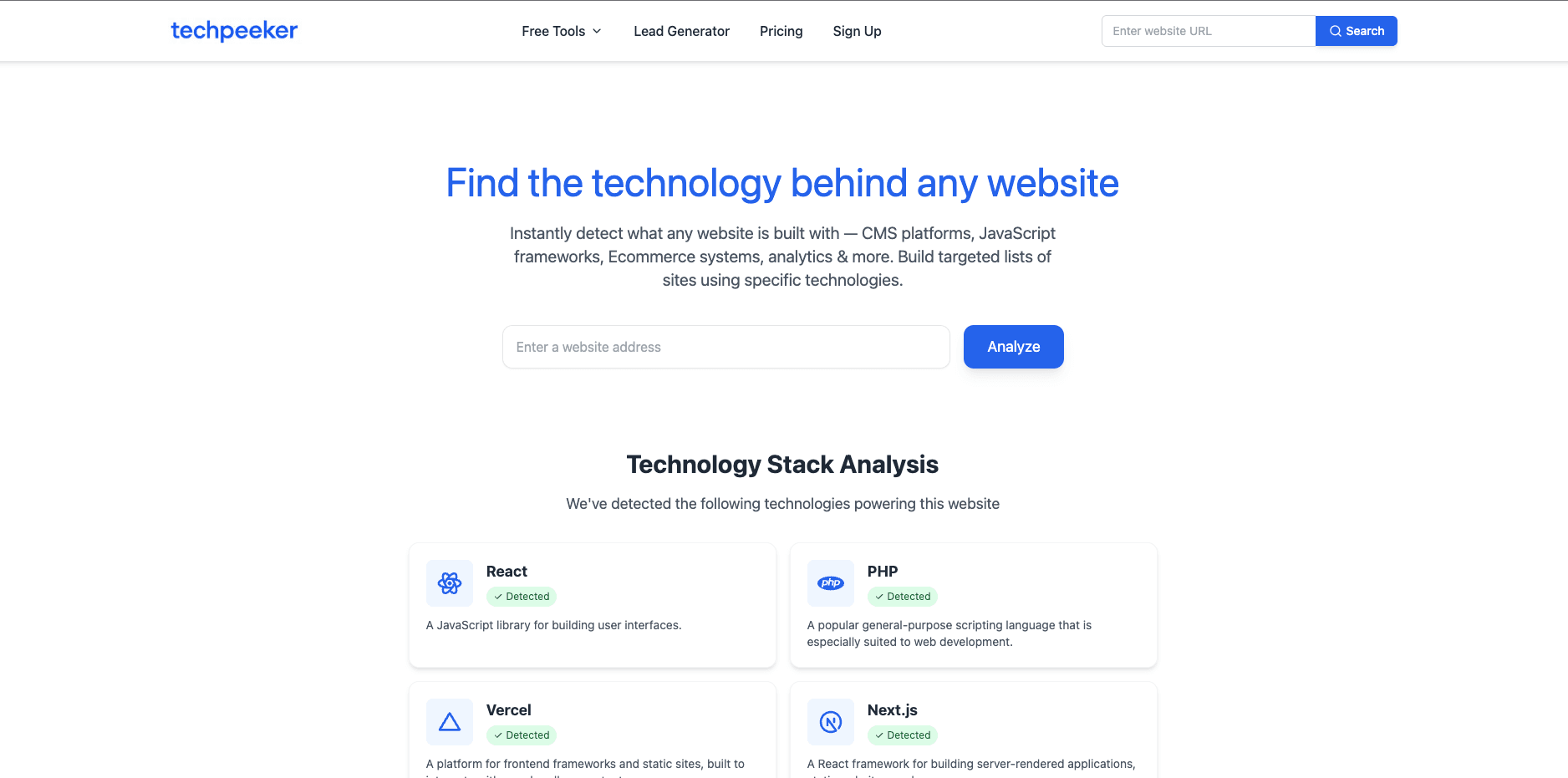
TechPeeker is a technology detection and lead generation platform built for marketers, agencies, and sales teams. It doesn't stop at identifying what a site runs — it lets you turn that detection into targeted prospect lists through keyword search, filtering, and bulk export. An API is available for teams who want technographic data flowing directly into their own tools.
What makes it different is that the workflow ends in a usable lead list, not just a tech report.
Pricing:
Starter is $99/month (or $980/year) with unlimited technology lists, keyword searches, and leads per export.
Business runs $149/month (or $1,480/year) and adds bulk lookup plus API access (25k requests/mo).
Enterprise is custom-priced with a dedicated account manager.
Against BuiltWith's ~$295/month entry point, this is a meaningfully cheaper way to get unlimited access.
2. Wappalyzer
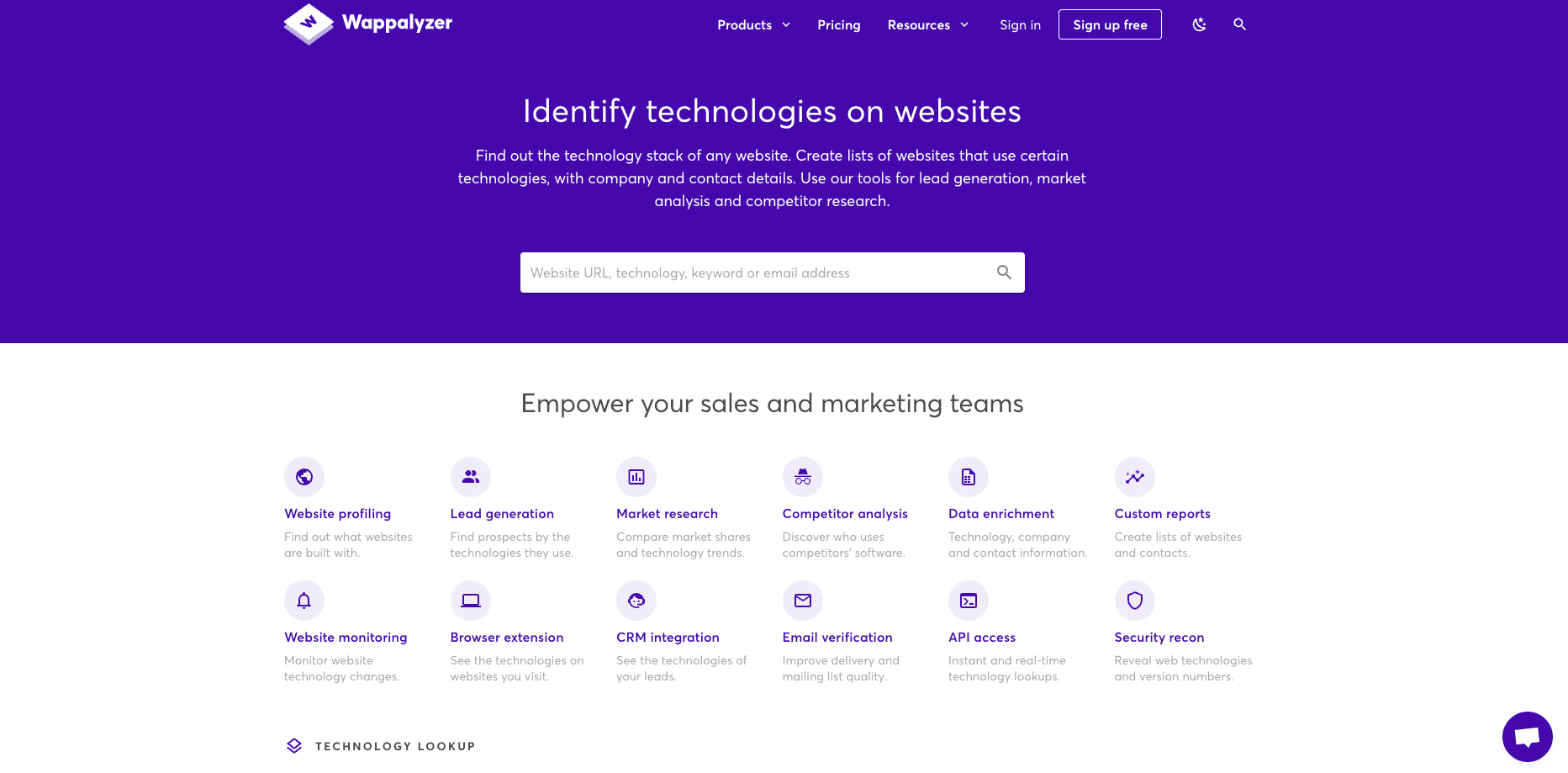
Wappalyzer is probably the most recognized name in this list, largely thanks to its browser extension — install it once and see a site's tech stack the moment you land on the page. Paid plans extend that into bulk lookups, change alerts when a site's stack shifts, and CRM-ready lead exports.
What makes it different is how effortless the extension makes casual, one-off lookups, with a clear upgrade path if you need more.
Pricing:
Free tier covers limited lookups via the extension. Pro runs roughly $250/month for core lookups and reports, Business around $450/month for team access and higher export limits, and Enterprise starts near $850/month.
3. WebTechSurvey
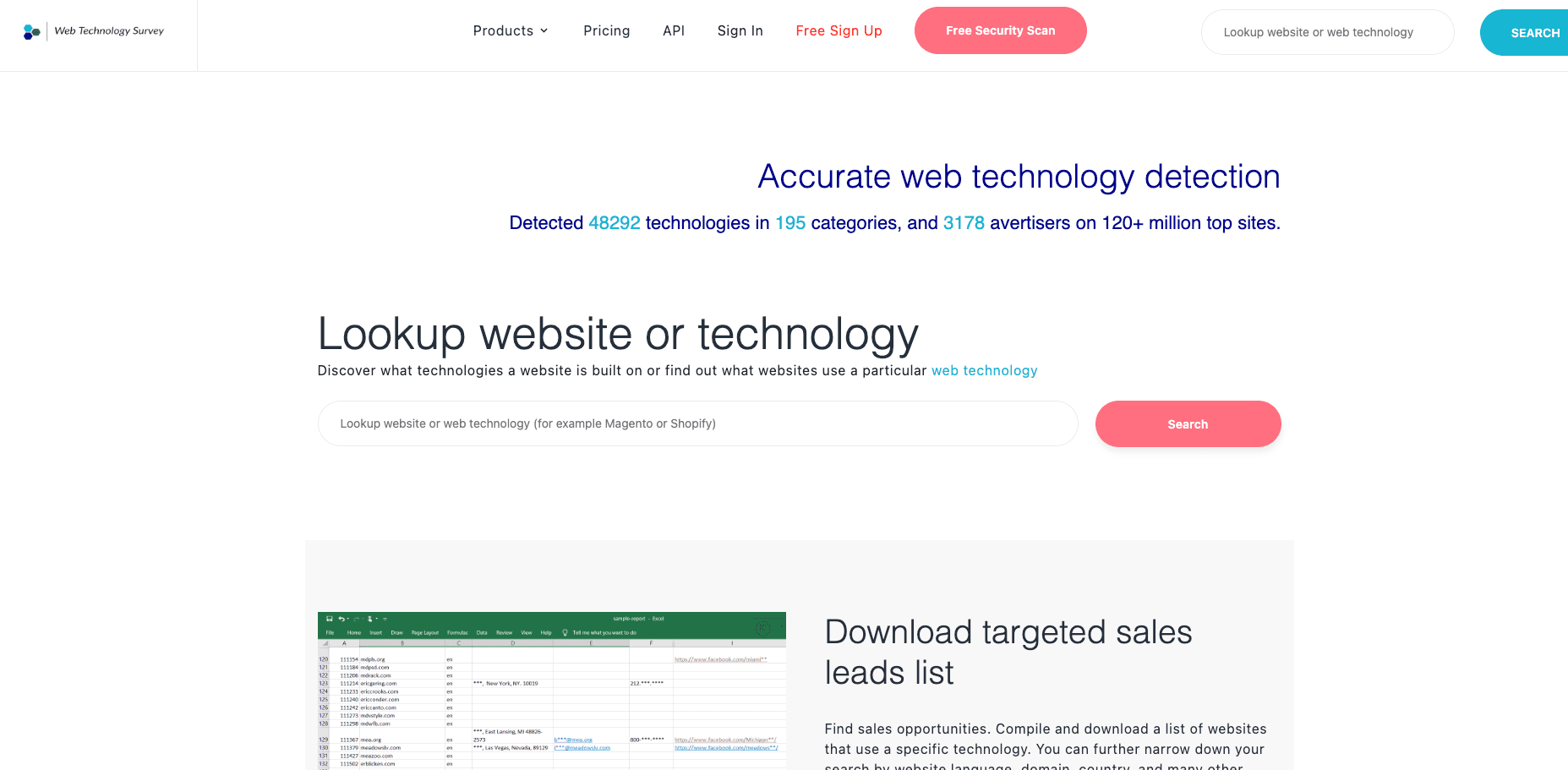
WebTechSurvey keeps things simple: technology detection, lead list generation, and export, without a lot of extra surface area to learn. Every plan includes unlimited lookups and API access, which is unusual — most competitors gate the API behind a higher tier.
What makes it different is there are no feature-gating games. What you see in the pricing table is what you get.
Pricing:
Professional is $125/month (or $1,250/year) with 2,000 credits/month.
Business is $300/month (or $3,000/year) with 10,000 credits/month.
Enterprise is $800/month (or $8,000/year) with 100,000 credits/month.
All tiers include unlimited technology lookups and API access.
4. Bloomberry

Bloomberry takes a different approach entirely. Instead of only reading what's visible in a site's public code, it reads infrastructure signals like new subdomains and DNS records, tracking subscribe and churn activity across more than 1,700 B2B products — CRMs like Salesforce and HubSpot, HR platforms, security tools, and more — including tools that never show up on a website at all. You get alerted when a target company adopts or drops something in your category.
What makes it different is that it's the only tool here that surfaces buying signals BuiltWith-style detection simply can't see.
Pricing:
There's a free trial with no credit card required. Paid plans start at $199/month.
5. Snov.io

Snov.io is fundamentally a sales and outreach platform, with domain search and technology lookup features layered in. The value isn't the tech detection alone — it's that research, email finding, verification, and campaign launch all live in the same dashboard.
What makes it different is it collapses "find the lead" and "reach the lead" into one workflow.
Pricing:
A free trial includes limited credits. Starter is about $39/month for 1,000 credits, scaling up through Pro S ($100/mo, 5,000 credits), Pro M ($189/mo, 20,000 credits), Pro L ($369/mo, 50,000 credits), and Pro Ultra ($738/mo, 100,000 credits), with a Custom Ultra tier for enterprise volume.
6. Web Reveal
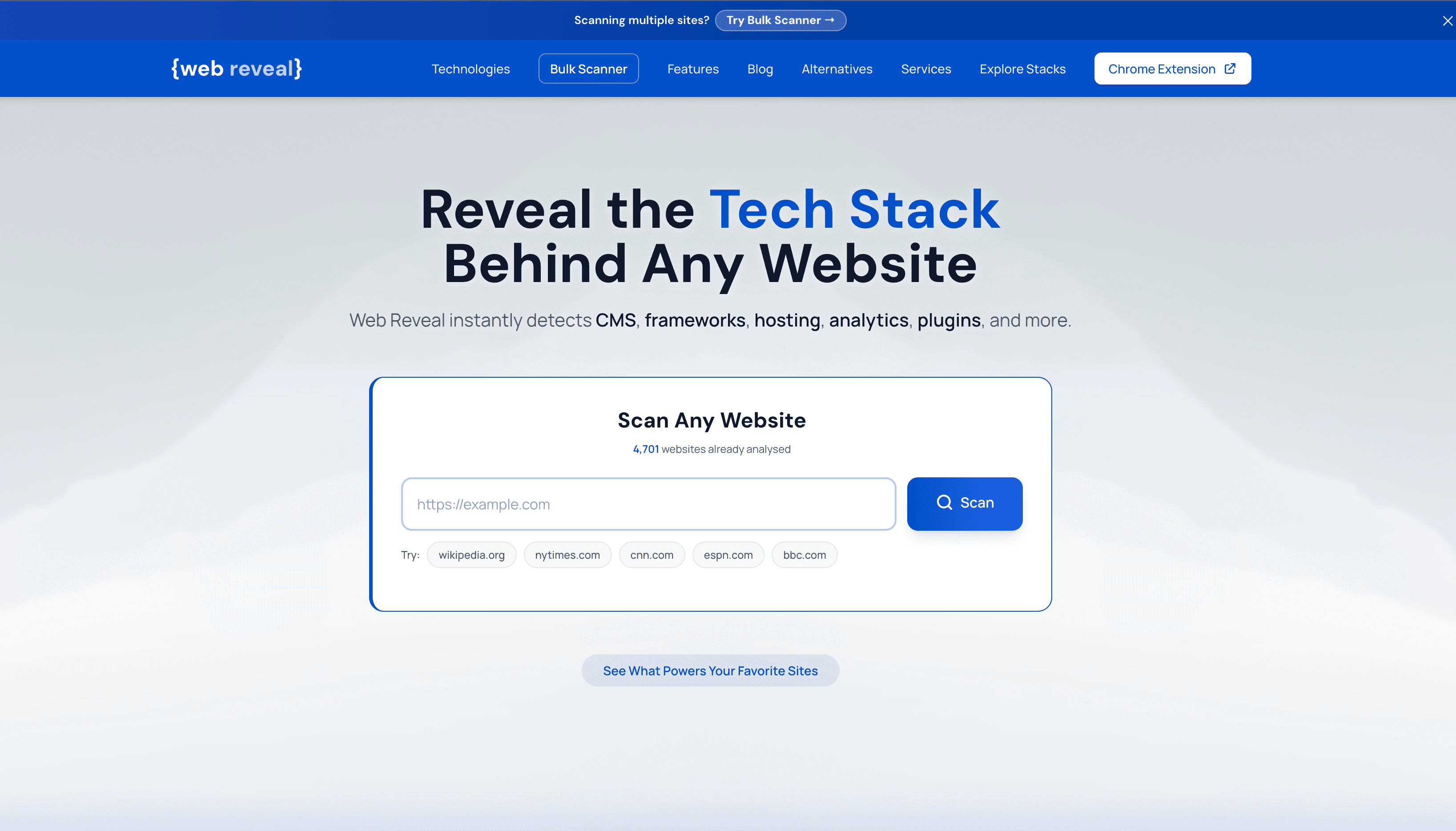
Web Reveal is the lightest-weight option on this list. Its free Chrome extension and single-site scanner reveal the CMS, frameworks, hosting, analytics, and plugins behind a site using publicly visible signals — HTML, scripts, HTTP headers. A paid Bulk Scanner extends that to up to 100 domains a day with CSV export, and it also publishes public technology trend rankings pulled from its scan database.
What makes it different is it's free for casual use and cheap for bulk use, with no lead-gen ambitions muddying the product.
Pricing:
Free for single-site scans via the extension or web scanner. Bulk Scanner starts at $19.99/month for 100 scans/day with CSV export.
Free BuiltWith Alternatives That Deliver Real Value
Not every team needs — or can justify — a paid subscription right away. A few options here hold up well at $0.
Web Reveal is the most complete free option: unlimited single-site lookups through its Chrome extension, with no credit card required. You lose bulk scanning and CSV export until you upgrade, but for occasional lookups it's hard to beat.
Wappalyzer's free tier covers the browser extension for casual, one-at-a-time lookups — useful if you just want a quick answer while browsing rather than building lists.
Bloomberry's free trial requires no credit card, enough to evaluate whether buying-signal tracking is worth paying for before committing.
Budget-Friendly Alternatives to Enterprise-Grade Detection Tools
BuiltWith's enterprise tiers, along with the higher plans from tools like Wappalyzer, are priced for organizations where the data clearly pays for itself. For everyone else, there's a real gap between "free extension" and "$850/month enterprise contract" — and that's exactly where most of this list lives.
TechPeeker and WebTechSurvey both offer unlimited lookups starting under $150/month, with API access included well below what BuiltWith or Wappalyzer charge for the same capability. Bloomberry undercuts traditional enterprise intent-data platforms at $199/month while tracking a category (subscribe/churn signals) those platforms often charge far more for. Snov.io stays affordable at the low end specifically because it's credit-based — you only pay for the volume you actually use.
Head-to-Head Comparisons
BuiltWith vs Wappalyzer
Wappalyzer's browser extension makes casual lookups faster and free at the entry level. BuiltWith's database goes deeper on historical data and less common technologies. For quick day-to-day checks, Wappalyzer usually wins; for exhaustive historical research, BuiltWith still has an edge.
BuiltWith vs TechPeeker
BuiltWith is built primarily as a lookup and research tool. TechPeeker is built around turning that same kind of data into an exportable lead list from the start. If your end goal is outreach rather than research, TechPeeker's workflow gets you there faster — and starting at $99/month, considerably cheaper.
BuiltWith vs Bloomberry
BuiltWith only sees what's visible on a website. Bloomberry tracks adoption and churn across products that never appear in a site's public code at all. If timing matters more than a static snapshot of a site's stack, Bloomberry covers ground BuiltWith structurally can't.
How to Choose the Right BuiltWith Alternative
The right tool depends on what you're actually trying to do with the data:
- •If budget is the main constraint: Start with Web Reveal's free extension or Wappalyzer's free tier before paying for anything.
- •If lead generation is the goal: TechPeeker is built around exportable, filterable lead lists from the ground up.
- •If you want browser-based, instant lookups: Wappalyzer's extension remains the fastest way to check a single site.
- •If timing and intent signals matter more than a static tech snapshot: Bloomberry is the only tool here tracking subscribe/churn activity.
- •If outreach is the end goal, not just research: Snov.io ties technology and domain lookup directly into email finding and campaigns.
- •If you want simple, all-inclusive pricing: WebTechSurvey includes unlimited lookups and API access on every tier.
The Best BuiltWith Alternative for Lead Generation
For teams whose real goal is pipeline — not just knowing what a website runs — generic detection data isn't the finish line. Filtering by "companies using Shopify Plus" or "sites running HubSpot in the fintech space," then exporting that list straight into outreach, is where the actual value shows up.
TechPeeker was built specifically for that workflow: unlimited technology lists, keyword search, and CRM-ready exports starting at $99/month, without gating API access behind an enterprise tier the way several competitors do.
FAQs About BuiltWith Alternatives
Which BuiltWith alternative is best for lead generation?
TechPeeker is the strongest choice if your main goal is to find prospects based on the technologies they use. Its technology search, filtering, lead generation, exports, and API capabilities are designed around turning technographic data into actionable prospect lists.
What is the best BuiltWith alternative?
The best alternative depends on your use case. TechPeeker is the strongest option for technology-based lead generation and prospecting. Wappalyzer is excellent for browser-based detection, while Web Reveal is a good free option for basic scanning.
Ready to Turn Tech Data Into Leads?
Try TechPeeker today and see what technologies power any website, plus get access to lead generation tools built around that data.
Start Free Analysis